
Dongle Driver Setup
System Requirements: Microsoft Windows 10 or 11.
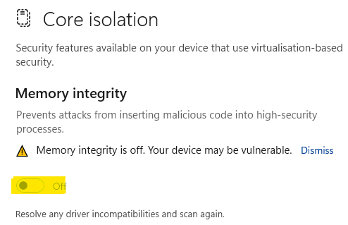
Windows 11 Core Isolation settings#
- The Windows 11 security may prevent the Sentinel Dongle Driver from operating as desired.
- The solution is to turn Memory integrity off in the Core Isolation settings.
Quick Steps to turn Memory integrity off:#
Step 1: Search for Core isolation

Step 2: Turn Memory Integrity off
Installing the Dongle Drivers#
Please ensure the Dongle is removed from the USB port.
- Download the latest Dongle Driver file Download Dongle Driver
- Save file to “Downloads”.
- Double-click the “Sentinel System Driver Installer 7.5.9.zip” file.
- This will open the zip file.
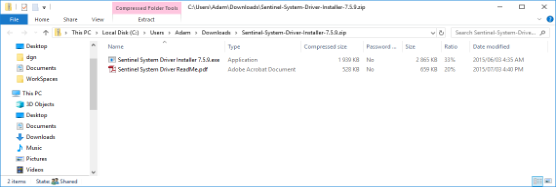
- Ensure the Dongle is removed from the USB port.
- Run the *.exe file.
- Provide the Administrator password when requested.
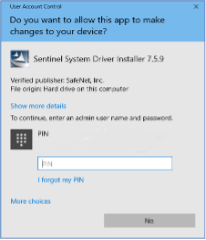
- Once the password has been inserted, select the “Yes” button.
- Follow the on-screen instructions in the Wizard, accepting the defaults to complete the installation.
- Continue to Registering PowaMaster Dongle License.